

The Prompting Playbook
Debugging Prompts Like Production Code

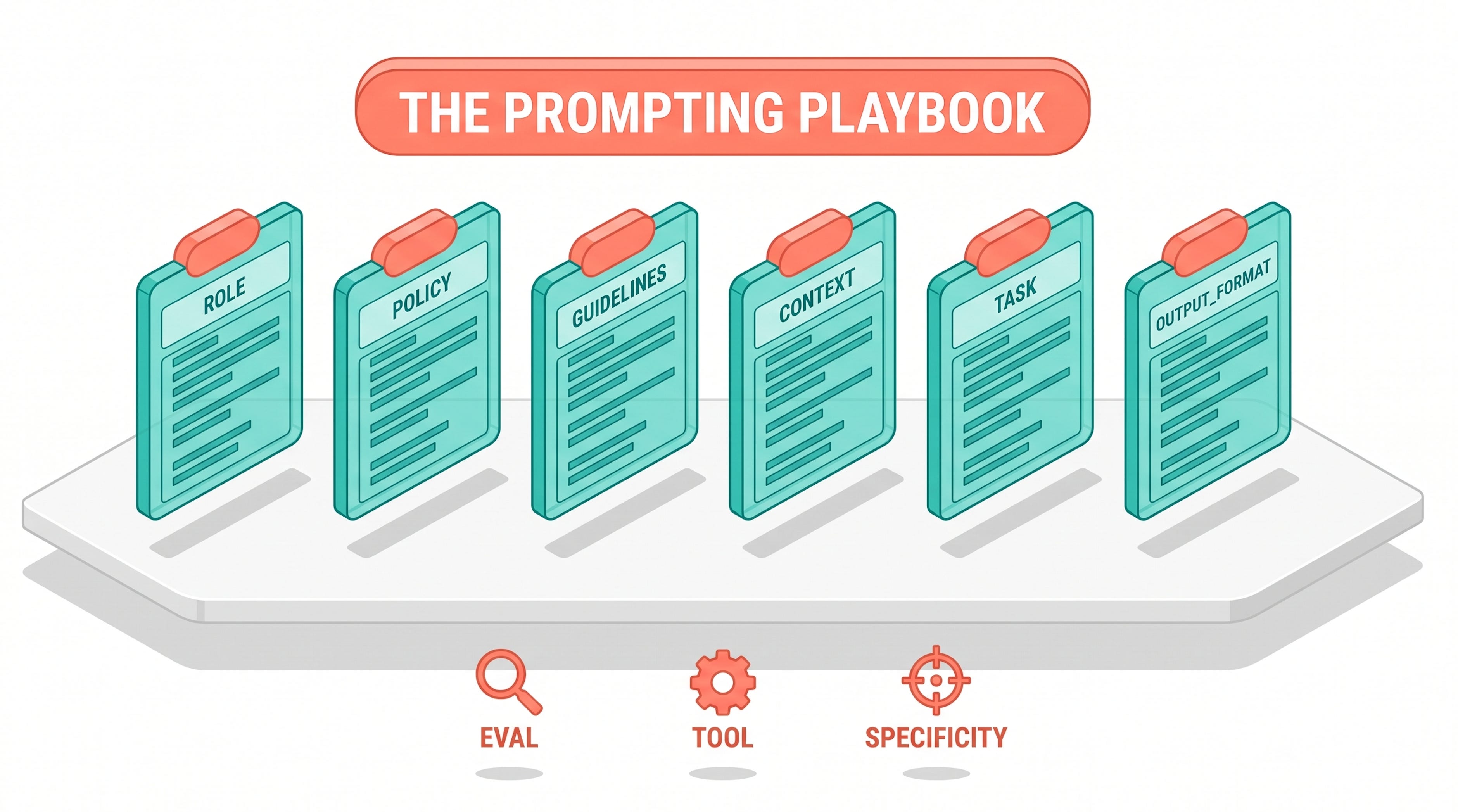
Three key takeaways
Treat prompts like code. Evaluations come first, structure comes second, and patches you wrote for old models are usually the reason a new model misbehaves.
Instructions do not add capability. If the model has to do math, give it a tool. If it has to choose between two outcomes, tell it both sides of the tradeoff.
A new use case rarely needs a smarter model. It often needs a smaller model with a cleaner prompt, or three small prompts in a generate, evaluate, repair loop.
The most common mistake I see in production AI systems is not what people think it is. It is not bad model choice. It is not missing guardrails. It is that nobody can read the prompt anymore.
Margot Vanlaer, an applied AI engineer at Anthropic, opened her London talk with a scenario any team that has shipped an LLM feature will recognize. Multiple people have edited the prompt over six months. There is no clear owner. Policy is mixed in with tone, tone is mixed in with calculation rules, and three of the instructions are patches written for a model that has since been deprecated. The team migrates to a new model, regression tests fail, and the first instinct is to roll back.
Her playbook is the opposite. Roll forward, but bring evaluations with you.
Start with evals, not with prompts
Vanlaer’s opening line was direct: “We need evaluations to provide that rigor to understand whether a change to our prompt is actually correlating to an improvement in its performance.”
That sentence does more work than it looks like it does. It means a prompt change without an eval is a vibe check, and a vibe check is not engineering. It also means that when a new model performs worse on your task, you have two possible diagnoses, and only an eval can tell you which one applies. Either the new model is capable but behaves differently, in which case you can prompt around it, or the new model is genuinely less capable for your task, in which case no amount of prompting will save you.
You cannot tell those two situations apart by reading the output. You have to measure.
The minimal eval she walked through had five test cases. That is not many. But each one covered a category that matters:
A control case the model should always pass. Unambiguous, obvious, never failing.
Edge cases where the model has failed before. The whole point of including these is to keep the regression from sneaking back in.
Capability boundary cases. Where the model should refuse, escalate, or hand off to a human.
If your eval suite does not have at least one case in each category, you do not yet have an eval. You have a happy path test.
Read the prompt like a stranger
Before chasing any specific failure, Vanlaer runs general hygiene on the prompt itself. This is the unglamorous part of prompt engineering and probably the highest leverage. Her example prompt for a fictional telco called Meridian Mobile had the kind of artifacts every long-lived prompt accumulates.
There was a line telling the bot it was a human. Not true. There was content that had clearly been copy-pasted from a marketing page, including a stray reference to a hero image and another to cookies. The instructions were all dumped into one paragraph. Policy, tone, reasoning, calculation rules, all mashed together.
Her cleanup added XML tags to separate role, guidelines, policy, and tone. Just structure. No new information. The eval improved.
“If you’re reading a prompt and you can’t tell guidelines from policy, from data, most likely the model isn’t able to either.”
That is the rule. If a human reader cannot find the policy section in three seconds, the model is also struggling. Models do not have a special parser for unstructured text that humans lack. They read top to bottom, they attend more strongly to clearly delimited sections, and they get confused when a single paragraph mixes role description, ethical guardrails, and worked examples.
The reason hygiene works so well at the start of any debugging session is that it gives you a cleaner control surface for everything else. Once the prompt is structured, you can change one section at a time and see the effect on the eval. With unstructured prompts, every edit changes two or three things at once because the boundaries between concerns are blurry. The eval becomes harder to interpret because you cannot tell which change moved which metric. Structure first, then iteration becomes tractable.
One small habit that helps. When you receive a prompt from a colleague, before you do anything else, render it through a markdown viewer or color the XML tags in your IDE. If the visual structure does not match the logical structure, you have already found a problem.
Output contracts and stop sequences
Customer support replies are conversational, so output format is rarely the failure mode for a chat bot. But Vanlaer flagged the practice anyway because it matters everywhere else. If you are producing JSON, structured outputs, or anything a downstream system will parse, you need an output contract.
Two layers help. First, tell the model in the prompt to wrap its response in specific XML tags. Second, add a stop sequence to the API call that triggers on the closing tag. The model writes the tag, the API stops generating, the parser gets clean output every time. For complex schemas, structured outputs do this more rigorously by enforcing the shape at the decoding layer.
It is the kind of thing that costs ten minutes to set up and saves a week of debugging later when the model starts adding a chatty paragraph after the JSON. The chatty paragraph rarely appears in dev because dev cases tend to be short. It appears in production when a real user asks a question that elicits a longer reasoning trace, the model gets enthusiastic, and your parser falls over. By the time the on-call engineer is reading the error log, the conversation context has rolled off and reproducing the issue is harder than it should be.
The general principle behind output contracts is that the model and your downstream code are negotiating a protocol. The cleaner the protocol, the less you need to think about it later. Adjective-heavy instructions like “always respond with valid JSON” do not establish a protocol. A (JSON Formatted) schema and a stop sequence do.
Three failure modes and what each one taught
After hygiene, three failures remained in the Meridian Mobile eval. Each one points to a different lesson.
Failure one: the model that withholds information
A customer on a legacy plan asked how much hotspot data they had. The customer’s account data, fed into the prompt, said five gigabytes. The model answered with the current standard plan number, four gigabytes, and pointed the customer to a URL to check the rest themselves.
The model had access to the right answer. It chose not to use it.
The cause was sitting in the prompt all along. An instruction read, “Customers on grandfathered plans have different rates. Never give a customer the wrong plan details. Instead, point them to the URL.” The model had latched onto “never give a customer the wrong plan details” and was being defensive, overcorrecting away from any answer that might be wrong.
This was almost certainly a patch from an earlier model that was hallucinating plan numbers. With the new model, instruction following has improved, so the patch is no longer protecting against the original problem. It is just suppressing useful output.
The fix was to rewrite the rule with a clearer rationale: customers on grandfathered plans have different allowances, and the customer information block is the source of truth, so use it. Eval passed.
“We worry a lot about hallucinations or the invention of facts and numbers, but actually the opposite can also happen. The model can withhold information that it actually has access to.”
This is the case nobody runs an eval for, because the failure looks like caution rather than error. The bot is technically not lying. It is just not helping. Worth checking your own prompts for similar defensive patches.
There is a useful auditing exercise that comes out of this. Take your production prompt. For every defensive instruction, ask two questions. What model was this written for, and what was the original failure it was meant to prevent. If you cannot answer either question, you have a candidate for review. Version control the prompt with comments explaining the why, so the next engineer or the next model migration does not have to reconstruct the history from scratch.
Failure two: telling the model to be good at math
The proration case asked the bot to calculate a bill if the customer switched plans mid-month. The model reasoned through it, did some mental math in its response, and produced something vague enough that no customer could act on it.
The original prompt said, “Critical: always calculate any prorated amounts correctly.” Vanlaer’s commentary was the clearest line in the talk:
“Telling the model to do a good job isn’t particularly helpful when we don’t give the model the capability to actually do a good job.”
The fix was a calculate_proration tool. Define the schema, implement the math function, give the model access through the API, and tell it in the prompt to use the tool for any calculation. Eval passed cleanly.
The general principle: instructions do not add capability. They redirect existing capability. If the model cannot reliably do mental math, no exhortation in the prompt will make it more reliable. Tools, structured outputs, retrieval, code execution, these add capability. Adjectives do not.
This is one of those rules that sounds obvious once you say it and is constantly violated in practice. I have seen prompts with three or four “critical” instructions stacked in a row, each one trying to shore up a different weak spot. The team writing them knew on some level that this was not the right shape, but the alternative felt like more work. Defining a tool, writing the schema, implementing the function, threading it through the API. That is more code. But the code is reliable, and the adjectives are not. Once you have done the work once, you stop reaching for adjectives.
Failure three: the one-sided cost
The billing error case wanted the bot to escalate to a human. The bot was instead trying to diagnose the issue itself, explaining possible causes to the customer.
The cause was an instruction that read, “Avoid escalating or transferring to a care specialist unless absolutely necessary as it costs approximately $8 and it counts against our team’s fast contract resolution.”
The model was doing exactly what it was told. It had been given a cost, with no offsetting benefit, and it was minimizing the cost.
The fix gave both sides of the tradeoff. Escalating costs $8, but failing to escalate a billing error can cost a refund and customer trust. The model is now making a real tradeoff instead of optimizing for one variable.
“As models become more intelligent, we need to remember to state both sides of the tradeoffs because our models are becoming better themselves at making those tradeoffs themselves.”
Older models needed flat rules. Newer models can weigh competing concerns if you give them the inputs. One-sided guidance that worked fine in 2023 is a failure mode in 2026.
The shift here is subtle but important. With older models, the prompt was often doing the reasoning on behalf of the model, baking conclusions into instructions because the model could not be trusted to reach them on its own. With newer models, the prompt should provide the inputs to reasoning, not the conclusions. Trust the model to weigh tradeoffs, give it the variables it needs to weigh them, and verify with the eval. This is also what makes prompts shorter and more maintainable over time. The model carries more of the cognitive load, so the prompt does not need to specify every branch.
What changes when you build new from scratch
The second half of the talk shifted from debugging to greenfield. The example was a retail staff scheduler. Eight employees, a week of shifts, a list of hard constraints. Because constraints are deterministic, a Python function can grade outputs by counting violations, no LLM judge needed.
Vanlaer ran five experiments to find the right combination of model and architecture.
Run one: Sonnet 4.6, simple prompt. All five test cases failed. The model reasoned through the problem but burned tokens and did not check its work.
Run two: Opus 4.7, same simple prompt. Still all failing, but the number of violations per run dropped significantly. Reasoning capability was clearly helping.
Run three: Opus 4.7 with adaptive thinking. Reliably compliant schedules. But three times the tokens and three times the latency.
Run four: Sonnet 4.6 with a better prompt that instructed the model to check its work before outputting. Two out of five passing. The failures were not constraint violations, they were truncation, the model running out of output tokens before finishing.
Run five: an agentic loop. Three small prompts running in sequence. A generator drafts a schedule. An evaluator reads the schedule and reports specific rule violations. A repairer takes the violations and produces targeted fixes. All five test cases passed, with lower token use and lower latency than the Opus with adaptive thinking option.
The agentic version had a second benefit. Soft constraints could be added at runtime through the evaluator prompt. Something like “Harry doesn’t like working with Sally, separate them where possible” can be expressed in natural language without modifying the Python checker.
The point of running all five was not to declare a winner. It was to make the tradeoff space visible. Sometimes the right answer is a bigger model with thinking. Sometimes it is three smaller models in a loop. You cannot guess which one from outside.
The architectural lesson is worth lingering on. A single prompt is asking the model to plan, execute, and verify in one pass. That is a lot of cognitive load, and the model often skips the verification step because it has already produced an answer that feels complete. Splitting the work into three prompts gives each one a single job. The generator generates. The evaluator evaluates. The repairer repairs. Each stage has a narrow scope and a clear success criterion. The whole system is more reliable because no single prompt is doing too much.
This pattern shows up in a lot of agentic systems once you start looking for it. Compiler frontends and backends are split for the same reason. Map and reduce are split for the same reason. When you give each stage a focused job, the system gets predictable.
The patterns worth memorizing
Pulling the talk into a working set:
Before any prompt change, run the eval. If you do not have an eval, build one with at least one control case, one edge case, and one capability boundary case. Five total is enough to start.
Run general hygiene before targeting failure modes. Add structure with XML tags. Separate role, policy, guidelines, and tone. Remove copy-paste residue. If you cannot read the prompt, the model cannot either.
Audit defensive patches. Old instructions written for old models often suppress useful behavior in new models. Version control the prompt with notes on why each defensive change was added, so you know what to revisit when you migrate.
Replace instructions with capabilities. If the model is bad at math, do not tell it to be good at math. Give it a tool. If the model is producing inconsistent JSON, do not beg it to be consistent. Use structured outputs.
State both sides of every tradeoff. Newer models reason about competing concerns. A one-sided cost instruction will produce one-sided behavior.
For new agents, test the architecture, not just the prompt. Compare a single big prompt to an agentic loop. Compare a small model with a better prompt to a big model with the default prompt. The cheapest reliable architecture is often counterintuitive.
What to do tomorrow morning
Open the longest prompt in your production system. Read it as if you were a new hire being asked to maintain it. Note every instruction you do not immediately understand the reason for. Those are your patches. Some of them are still doing useful work. Some of them are now the reason your model behaves oddly.
Then open your eval suite. If you do not have one, write five test cases. Control, three edge cases, one capability boundary. Run your current prompt through it. Now you have a baseline.
Everything after that, the structure cleanup, the tool integration, the both-sides-of-the-tradeoff rewrites, is just iteration against the baseline. Slow at first, then very fast once the loop is set up.
The teams that ship reliable AI features are not the ones with the cleverest prompts. They are the ones who treat the prompt as a maintained artifact and the eval as the contract.
Prompt examples to copy
The patterns above are abstract until you see them on the page. Here are five concrete templates worth lifting into your own work.
1. The structured prompt skeleton
Use this as the spine for any non-trivial prompt. Each section has a job. When you maintain the prompt over time, knowing which section to edit prevents the regression cycle.
<role>
You are a [specific role]. You [primary action] in service of [goal].
</role>
<policy>
- Never [hard constraint 1]
- Always [hard constraint 2]
- When unsure between A and B, prefer [tiebreaker]
</policy>
<guidelines>
- Prefer [soft preference 1]
- Be specific about [thing the model tends to gloss over]
- Match the user's tone where appropriate
</guidelines>
<context>
{{ runtime context goes here: customer record, file content, search results }}
</context>
<task>
{{ the actual user request }}
</task>
<output_format>
Return a single JSON object with these fields:
- summary: 1-2 sentence overview
- steps: array of strings, ordered
- confidence: number 0-1
</output_format>
Why the XML-style tags: they survive prompt-cache prefixing better than markdown headings, and they make it obvious which section a given instruction belongs in. When you find yourself appending an instruction to the end because “that’s where the bug is,” ask whether it belongs in <policy> or <guidelines> instead.
2. Both sides of the tradeoff
A one-sided instruction produces one-sided behavior. Newer models reason about competing concerns when you name them explicitly.
You are optimising for two things that pull against each other:
- Cost: every API call you make costs $0.03. Fewer calls is better.
- Completeness: missing a relevant fact is worse than making one extra call.
When you have to choose, prefer completeness on the first pass and cost on
follow-ups. If you've already checked a source once, do not check it again.
This works much better than just “don’t call too many APIs” because it gives the model the actual decision rule to apply.
3. The eval-friendly prompt
Structure the output so an automated checker can score it. Two patterns: pin the structure with a schema (next section), or emit machine-readable trace lines alongside human-readable output.
For each step you take, emit a single line starting with TRACE: followed
by a JSON object like:
TRACE: {"step": "fetched_user", "status": "ok", "ms": 142}
Your final answer goes after a single line containing ANSWER: and
nothing else. Anything after ANSWER: is the user-facing response.
The grep-pattern is the contract. The eval reads TRACE lines to score behavior; the user sees only what comes after ANSWER:.
4. The agentic loop trio
Three small prompts beat one big prompt for tasks that need planning, execution, and verification. This is the schedule-builder pattern from the talk, generalized.
# generator.txt
You produce a draft plan for {{ task }}. Your output is a numbered list
of steps. Do not verify; just produce the plan. Return only the list.
# evaluator.txt
You read a plan and report violations of these rules:
{{ rules }}
Return a JSON array of violations:
[{"step": 3, "rule": "no-consecutive-night-shifts", "details": "..."}, ...]
Return an empty array if the plan is valid.
# repairer.txt
You receive a plan and a list of violations. Produce a minimally
modified plan that resolves every violation. Return the full updated
plan. Do not change steps that were not flagged.
Wire these in sequence. The whole system is more reliable than one prompt trying to plan, check, and fix in a single pass.
5. The self-audit prompt
When a prompt has accumulated patches and you cannot remember why each one is there, ask Claude to audit it.
Below is a production prompt that has been edited many times over six
months. Read it as if you were a new hire being asked to maintain it.
For each instruction, answer:
1. What behavior does this instruction prevent or enable?
2. Could this be redundant with another instruction in the same prompt?
3. Could this be replaced with a tool, a structured output schema, or
   a capability that newer models have natively?
Output a table with one row per flagged instruction. Do not rewrite the
prompt yet, just audit it.
---
PROMPT:
{{ paste the prompt here }}
The output is a debt list. Pick the top three items, rewrite the prompt to address them, run the eval. Iterate.
Schemas you’ll want to copy
Two schemas earn their keep in any serious prompt operation.
A JSON Schema for structured output
Claude Code’s --json-schema flag forces the model output through a validator. Use it whenever the consumer of the output is a program, not a person.
{
  "type": "object",
  "required": ["summary", "steps", "confidence"],
  "properties": {
    "summary": {
      "type": "string",
      "minLength": 10,
      "maxLength": 300
    },
    "steps": {
      "type": "array",
      "minItems": 1,
      "items": {
        "type": "object",
        "required": ["action", "target"],
        "properties": {
          "action": { "type": "string" },
          "target": { "type": "string" },
          "rationale": { "type": "string" }
        }
      }
    },
    "confidence": {
      "type": "number",
      "minimum": 0,
      "maximum": 1
    },
    "needs_human_review": {
      "type": "boolean"
    }
  },
  "additionalProperties": false
}
Pin the schema to a file in your repo. Reference it from the CLI:
claude --print --json-schema "$(cat schemas/triage-output.json)" \
  --max-budget-usd 0.25 "..."
additionalProperties: false is doing real work. Without it the model invents fields, your downstream code carries them forward, and a year later somebody is debugging why your pipeline has a confidence_level field that nobody wrote a spec for.
A prompt-template schema (YAML)
When more than one person on the team writes prompts, give them a shape. This is the lightweight version, adapt as your team grows.
# schemas/prompt-template.yaml
name: triage_v3
version: 3
owner: platform-ai
description: Triages incoming support tickets into one of six categories.
model: claude-sonnet-4-6
budget:
  max_tokens_per_call: 4096
  effort: medium
inputs:
  ticket_subject: string
  ticket_body: string
  customer_tier: enum[free, pro, enterprise]
output_schema: schemas/triage-output.json
prompt: |
  <role>...</role>
  <policy>...</policy>
  <task>{{ ticket_subject }}\n\n{{ ticket_body }}</task>
eval_suite: evals/triage/
patches:
  - date: 2026-04-12
    reason: "Customer tier was being ignored on pro accounts"
    change: "Added explicit 'customer_tier' reference in the task block"
  - date: 2026-05-03
    reason: "Model over-escalating to human review"
    change: "Tightened the 'needs_human_review' trigger to confidence < 0.4"
The patches block is the part most teams skip and most regret skipping. Every defensive instruction was added for a reason. Write the reason down next to it. When the next model ships, you can read the patches in order and decide which ones are still doing useful work.
A skill frontmatter schema (for Claude Code skills)
Skills are prompts with metadata. Use this as the shape for SKILL.md files so they load cleanly into Claude Code.
---
name: deploy-payment-service
description: Step-by-step deploy of the payments service to staging or production.
disable-model-invocation: true   # only via /deploy-payment-service
user-invocable: true
allowed-tools:
  - Bash(./scripts/deploy.sh *)
  - Read(deploy/**)
paths:
  - services/payments/**
arguments:
  env: enum[staging, production]
  ticket: string
---
# Deploy Payment Service to {{ env }}
(skill body...)
disable-model-invocation: true is worth the tab break it costs. It means Claude only runs this skill when the user explicitly types /deploy-payment-service or invokes it from an agent. The model cannot decide to deploy on its own because your last message looked like a deploy request.
Marco Kotrotsos, specializing in practical AI implementation for organizations ready to close the gap between AI hype and AI value. With 30 years of IT experience now focused purely on AI deployment, he works hands-on with companies to turn AI potential into measurable business outcomes.
This article is published in Autocomplete, a Medium publication about real-world AI for practitioners and decision-makers.
You are reading my Substack newsletter, also called Autocomplete
https://acdigest.substack.com.
Source talk: The Prompting Playbook by Margot Vanlaer at Code with Claude London 2026.