

I Have Been Running Production Inference on a Mac Mini for Two Months. Here Is the Full Playbook.
The validated tutorial. Every command checked. The cost math, the failure modes, the launchd plist that actually works.

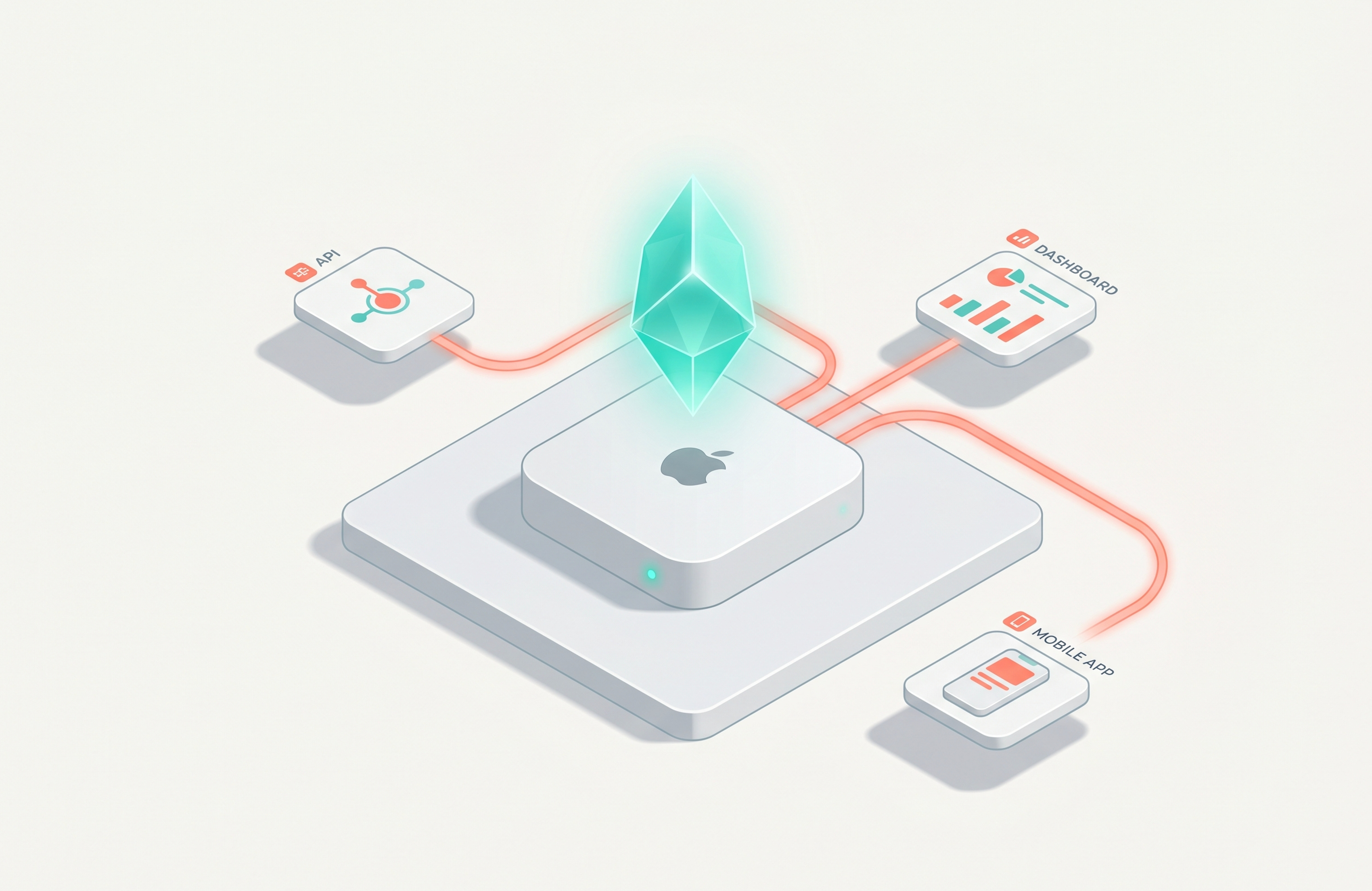
There is a Mac mini sitting on a shelf in my office, plugged into the wall, serving real inference traffic. It has been there for two months. It costs me about $4 a month in electricity. It has not gone down once. It currently handles enough internal workload that I would actively miss it if I had to switch back to a cloud-only setup.
Six months ago, this would have been a hobbyist statement. Today it is a sober deployment option, and I think most of you reading this should at least know it is on the table. So this newsletter is the full walkthrough. Validated commands, real benchmarks, the failure modes I have hit, the cost math I ran before I bought the thing.
If you have ever stared at a $400 Anthropic invoice and wondered if there was another way, this one is for you. Reply to this email if you want me to look at your specific setup.
The three things to know up front:
A Mac mini M4 Pro with 64GB of unified memory and an MLX-based serving stack handles 32 to 38 tokens per second on Qwen 2.5 32B and runs all day on roughly $5 of electricity per month. For sustained workloads above 500,000 tokens per day, this is cheaper than every cloud API on the market and pays back the hardware in 12 to 20 months.
The built-in mlx_lm.server is not production-ready, and Apple says so in their own documentation. The production-grade options are vllm-mlx (continuous batching, 400+ tok/s, OpenAI-compatible) and mlx-openai-server. This tutorial uses both and shows you when to reach for each.
For larger models, scale up before you scale out. A single Mac mini with 128GB of unified memory runs Llama 3.x 70B at Q4. Beyond that, EXO turns multiple Mac minis into a distributed cluster with Thunderbolt 5 RDMA. The single-node case covers 90% of teams. The cluster case is for when you have decided self-hosting is your strategic position, not your experiment.
Why this is suddenly a real option
The case for running production inference on a Mac mini in 2026 is harder to dismiss than it was a year ago. Apple shipped four things in quick succession that changed the math.
First, a major MLX framework release with M5 Neural Accelerator support. Second, Ollama 0.19 switching to an MLX backend on March 30, 2026, with decode throughput up 93% on Qwen 3.5 35B. Third, Thunderbolt 5 RDMA in macOS 26.2 for cluster inference. Fourth, a Mac mini lineup that hits 64GB of unified memory at a price that competes with a mid-tier laptop.
What used to be a hobbyist setup is now a deployment option. Several real companies have shipped it. One ran a Mac mini cluster handling 25% of production traffic within a week of starting. A four-node Mac Studio cluster at GK Servis runs trillion-parameter models for customer-facing workloads, with no cloud and no data leaving the building.
This article is the validated walkthrough. Every command has been checked against the current docs. The performance numbers are sourced. The failure modes are the ones I have either hit or watched colleagues hit. The goal is to get you from “I have a Mac mini on the shelf” to “I have an inference node serving production traffic” without skipping the parts that matter.
Three things this article is not: a model recommendation guide for hobbyists, an MLX framework deep-dive, or an exhaustive comparison of every local-LLM tool on the market. There are existing pieces for each of those. This one is operational.
When this makes sense, and when it does not
I want to save you a few hours of reading the rest of this if it does not apply to you.
The Mac mini inference node is a good fit in five concrete cases.
You are paying $100 or more per month in cloud LLM bills, consistently, for at least six months. That is the rough crossover where a $1,500 Mac mini plus electricity beats a sustained API cost.
You have data that cannot leave your network. Healthcare, legal, financial advisory, defense, anything regulated. The Mac mini is on your LAN. Nothing leaves the building.
You are running an internal tool with predictable, bursty traffic. Coding assistant for an engineering team. Internal search. RAG over your wiki. These workloads have idle gaps that a Mac mini handles well and that a per-token pricing model punishes you for.
You want a hot fallback for when your cloud provider has an outage. A Mac mini running a competent local model is the cheapest disaster recovery posture for AI workloads. It is not as smart as Claude Opus, but it stays up when Anthropic’s region does not.
You are a small agency or solo shop and want to stop watching your AI bill climb every month. This is the most common case I see in practice. This is also the reason I have one running.
The Mac mini is a bad fit in three cases. Stop reading here if any of these match.
You need the absolute frontier model. Sonnet 4.6 or Opus 4.7 quality for code generation, hard math, or research-level reasoning. Local models in 2026 are good. They are not Opus 4.7. If your business depends on frontier capability, stay in the cloud.
Your traffic is highly variable with massive bursts. A Mac mini handles 10-20 concurrent users comfortably with continuous batching. It does not handle 500 concurrent users. If your peak is 50x your average, autoscaling cloud APIs are still the right answer.
You do not have someone on the team who is comfortable maintaining a small server. A Mac mini does not maintain itself. Someone has to update it, monitor it, restart it when it hangs. If that person does not exist, the operational cost will eat the savings.
If you are still reading, the rest of this assumes you have a Mac mini, you want to use it for production inference, and you have someone who will keep it running.
Hardware sizing: what to actually buy
Memory is the constraint. Memory bandwidth is the second constraint. Everything else is rounding error.
The Mac mini lineup in May 2026 spans from 16GB to 64GB. The Mac Studio reaches 128GB. The decision tree:
16GB (Mac mini M4 base, around $599). Qwen 3 4B at 4-bit quantization runs comfortably. Throughput is 28 to 35 tokens per second. Good for personal assistant use, small RAG, basic structured extraction. Not enough headroom to run a second model resident at the same time. This is the experimentation tier.
24GB (Mac mini M4 mid, around $999). Qwen 3 8B at 4-bit fits with room. Same throughput tier. You can keep Apple Foundation Models loaded alongside it for fast structured outputs. This is the first tier I would seriously call a production node, with the caveat that you are limited to ~8B parameter models.
48GB (Mac mini M4 Pro, around $1,799). Qwen 2.5 32B at 4-bit runs at 32 to 38 tokens per second. This is the sweet spot for most internal team deployments. You have room to hold a 32B coding model and an 8B router model simultaneously, plus operating system overhead.
64GB (Mac mini M4 Pro maxed, around $2,199). The same 32B models with more concurrent capacity, or comfortable room for a 70B model at heavier quantization. Real production deployments mostly land here. This is the one I run.
128GB (Mac Studio M3 Ultra, around $4,999). Llama 3.x 70B at 4-bit, or smaller models with room for 30+ concurrent users. This is where single-node “actual heavy production” becomes possible.
The M5 Pro variants ship with 20 to 30% higher throughput on the same RAM tiers, courtesy of Neural Accelerators in the M5 GPU. If you can wait for the Mac mini M5 Pro, do. If you are buying now, M4 Pro is fine.
The stack: what you are actually installing
Three layers sit between your hardware and your application.
MLX is the framework. Apple’s array library, optimized for unified memory, with the same role as PyTorch or JAX but designed around Apple Silicon’s architecture. You install it once and forget it.
MLX-LM is the inference runtime built on MLX. It handles model loading, tokenization, generation, and the model-format conversions for running Hugging Face models on Apple Silicon. This is what runs the actual forward pass.
The server layer is where you choose. Apple’s mlx_lm.server is built in and runs an OpenAI-compatible API on port 8080. Apple’s own documentation says it is “not recommended for production as it only implements basic security checks.” For real deployments, you reach for vllm-mlx (continuous batching, OpenAI and Anthropic API compatible, MCP tool calling support, hits 400+ tok/s on M-series chips) or mlx-openai-server (FastAPI-based, multi-modal support, supports vision and Whisper models alongside LLMs).
I will walk through both options in the serving section. For most cases, vllm-mlx is the right choice because of continuous batching, which lets the server handle multiple concurrent requests without each one queueing behind the others.
Step 1: install MLX and MLX-LM
Set up your Python environment first. macOS ships with Python 3.13 in 2026 but you want to isolate.
# Use a dedicated environment for the inference node
python3 -m venv ~/.mlx-env
source ~/.mlx-env/bin/activate
# Install MLX-LM (this also pulls in MLX core)
pip install mlx-lm
Verify the install:
mlx_lm.generate --model mlx-community/Qwen3-4B-Instruct-2507-4bit \
                --prompt "Write one sentence about Apple Silicon."
The first run downloads the model from Hugging Face (a few hundred MB at 4-bit). Subsequent runs are instant. If you see a generated sentence, you are running MLX inference on your Mac.
A common first-time error: if pip install mlx-lm fails with a wheel error, you are likely on an Intel Mac. MLX requires Apple Silicon. Check uname -m. It should say arm64. If it says x86_64, this tutorial is not for you.
Step 2: pick the right model
The mlx-community organization on Hugging Face maintains pre-converted models. You want one of these, because converting from the original Hugging Face format yourself takes time and produces no better result.
The general rule for quantization: start with 4bit. The quality difference from 8-bit is small and often imperceptible for most production workloads, and the memory savings are roughly 2x.
A few good defaults as of May 2026:
# 4B parameters, fits in 16GB, good for fast structured extraction
mlx-community/Qwen3-4B-Instruct-2507-4bit
# 8B parameters, fits in 24GB, solid general-purpose model
mlx-community/Qwen3-8B-Instruct-4bit
# 32B parameters, fits in 48GB, strong reasoning and code
mlx-community/Qwen2.5-32B-Instruct-4bit
# 70B parameters, fits in 128GB Mac Studio
mlx-community/Llama-3.3-70B-Instruct-4bit
Browse huggingface.co/mlx-community for the full list. New models land roughly weekly. The community has been disciplined about uploading new releases within days of their general availability.
A note on the M5 chip: when the Mac mini M5 Pro becomes available, the Neural Accelerators give the same model a free 20 to 30% throughput boost. If your decision is between waiting and buying now, factor that in. If you have an M4 Pro on hand already, do not wait.
Step 3: start the built-in server (and understand its limits)
The fastest way to get an OpenAI-compatible endpoint:
mlx_lm.server --model mlx-community/Qwen3-8B-Instruct-4bitThe server starts on
http://127.0.0.1:8080
. You can hit it with any OpenAI-compatible client:
curl http://localhost:8080/v1/chat/completions \
  -H "Content-Type: application/json" \
  -d '{
    "model": "mlx-community/Qwen3-8B-Instruct-4bit",
    "messages": [{"role": "user", "content": "Summarize the EU AI Act in two sentences."}]
  }'
This works. It is also where the Apple documentation explicitly warns you. The built-in server is for development. It does not handle concurrent requests well. It has no API key auth, no rate limiting, no request queueing strategy beyond a basic FIFO. It does not do continuous batching, which means request number two waits for request number one to finish entirely before starting.
Use mlx_lm.server to validate that your model runs and your network is reachable. Do not point production traffic at it.
Step 4: move to a production-grade serving layer
Two options. Pick one.
vllm-mlx if you want continuous batching, throughput, and Anthropic API compatibility:
pip install vllm-mlx
vllm-mlx serve mlx-community/Qwen3-8B-Instruct-4bit \
  --port 8000 \
  --host 0.0.0.0 \
  --continuous-batching
The continuous batching flag is the one that matters. Each new request joins the batch in-flight, which is what lets a single Mac mini handle 10 to 20 simultaneous users without anyone noticing they are queued. Without it, a chat conversation that takes 8 seconds to generate blocks every other request for those 8 seconds.
vllm-mlx exposes the same /v1/chat/completions endpoint as mlx_lm.server, but with proper batching, MCP tool-calling support, and Anthropic-compatible endpoints for clients that expect Claude’s API shape.
mlx-openai-server if you need multi-modal (vision, Whisper) or want a FastAPI-based server you can extend:
pip install mlx-openai-server
mlx-openai-server launch \
  --model-path mlx-community/Qwen3-8B-Instruct-4bit \
  --api-key any-non-empty-string \
  --host 0.0.0.0 \
  --port 8000
This is the option I reach for when the inference node needs to handle audio transcription (Whisper) or vision models alongside text. It does not do continuous batching as elegantly as vllm-mlx, but it has a cleaner extension story.
For both, set --host 0.0.0.0 if you want the server reachable from other machines on the LAN. Leave it at 127.0.0.1 (the default) if it is for your own use only.
Step 5: run it as a launchd service
A server that only runs when you have a terminal open is not production. macOS does service management through launchd, the system equivalent of systemd on Linux. You write a plist file, drop it in the right directory, load it once, and the service starts at boot and stays running.
Create the plist file:
mkdir -p ~/Library/LaunchAgents
nano ~/Library/LaunchAgents/com.yourdomain.mlx-inference.plist
Paste the following, adjusting the paths for your environment:
<?xml version="1.0" encoding="UTF-8"?>
<!DOCTYPE plist PUBLIC "-//Apple//DTD PLIST 1.0//EN"
    "http://www.apple.com/DTDs/PropertyList-1.0.dtd">
<plist version="1.0">
<dict>
    <key>Label</key>
    <string>com.yourdomain.mlx-inference</string>
    <key>ProgramArguments</key>
    <array>
        <string>/Users/YOU/.mlx-env/bin/vllm-mlx</string>
        <string>serve</string>
        <string>mlx-community/Qwen3-8B-Instruct-4bit</string>
        <string>--port</string>
        <string>8000</string>
        <string>--host</string>
        <string>0.0.0.0</string>
        <string>--continuous-batching</string>
    </array>
    <key>RunAtLoad</key>
    <true/>
    <key>KeepAlive</key>
    <true/>
    <key>StandardOutPath</key>
    <string>/Users/YOU/Library/Logs/mlx-inference.out.log</string>
    <key>StandardErrorPath</key>
    <string>/Users/YOU/Library/Logs/mlx-inference.err.log</string>
    <key>EnvironmentVariables</key>
    <dict>
        <key>PATH</key>
        <string>/Users/YOU/.mlx-env/bin:/usr/local/bin:/usr/bin:/bin</string>
    </dict>
</dict>
</plist>
Replace YOU with your username throughout. The KeepAlive key tells launchd to restart the service if it crashes. The RunAtLoad key starts it when you log in.
Load and start the service:
launchctl load ~/Library/LaunchAgents/com.yourdomain.mlx-inference.plist
launchctl start com.yourdomain.mlx-inference
Verify it is running:
launchctl list | grep mlx-inference
curl http://localhost:8000/v1/models
If you need to stop it:
launchctl stop com.yourdomain.mlx-inference
launchctl unload ~/Library/LaunchAgents/com.yourdomain.mlx-inference.plist
The log files at ~/Library/Logs/mlx-inference.{out,err}.log are your first stop when something goes wrong.
One detail that catches people: launchd agents do not have the same PATH as your interactive shell. The EnvironmentVariables block above sets it explicitly. If you skip that and your service fails to start with a “command not found” error, this is why. I lost an evening to this one before I figured it out.
Step 6: add health checks and monitoring
A production node needs three things you do not have yet: a way to know it is alive, a way to know it is responsive, and a way to know the underlying model is producing reasonable output.
The liveness check is trivial:
curl -f http://localhost:8000/v1/models || echo "DOWN"Wire that into your monitoring system (Prometheus blackbox exporter, Healthchecks.io, or even a cron job that pings a Slack webhook on failure). Once a minute is plenty.
The responsiveness check is one step deeper. The server can be alive but stuck. Run a tiny generation and verify it completes in under 30 seconds:
#!/bin/bash
START=$(date +%s)
RESPONSE=$(curl -s -X POST http://localhost:8000/v1/chat/completions \
  -H "Content-Type: application/json" \
  -d '{"model":"mlx-community/Qwen3-8B-Instruct-4bit","messages":[{"role":"user","content":"Say hi."}],"max_tokens":20}')
END=$(date +%s)
DURATION=$((END-START))
if [ $DURATION -gt 30 ]; then
  echo "SLOW: ${DURATION}s"
  exit 1
fi
echo "OK: ${DURATION}s"
The third check is the one most teams skip. Run a small known-good prompt every hour and compare the output against an expected response. Not exact match (the model is non-deterministic), but a similarity check or keyword presence. This catches the case where the model technically responds but the output is degraded.
For full observability, vllm-mlx exposes Prometheus metrics at /metrics when run with the right flag. Scrape it from a Prometheus instance, dashboard it in Grafana, and alert on request latency p95 going above your threshold.
Step 7: planning for scale
A single Mac mini handles 10 to 20 concurrent users at reasonable latency on a 32B model. Beyond that, you have two paths.
Scale up before you scale out. A 64GB Mac mini handles more concurrent traffic than a 16GB one running the same model. If you have not maxed out the RAM tier yet, do that first. The marginal cost from 24GB to 64GB on the same Mac mini is less than buying a second machine and easier operationally.
Scale out with EXO. Once you are past the single-node limit, EXO turns multiple Macs into a single inference cluster. It is open-source (Apache 2.0), supports MLX as a backend, and as of macOS 26.2 can use Thunderbolt 5 RDMA between nodes, which drops inter-device latency to under 50 microseconds. Real example from the field: GK Servis runs trillion-parameter MiniMax 2.5 on a four-node Mac Studio cluster as their primary production inference layer for customer-facing workloads.
For most teams, the cluster is overkill. The single 64GB Mac mini is the right answer for the first six months. Get that running, measure your actual traffic patterns, and revisit. Premature clustering is one of the most common ways people overspend on local inference.
The cost math
The straightforward version. Mac mini M4 Pro with 64GB and 1TB storage, current pricing around $2,199. Electricity in active inference is roughly 35 watts continuous, which at $0.15 per kWh works out to $4 per month.
Compare to cloud API spend. At Claude Sonnet 4.6 pricing ($3 per million input, $15 per million output), a sustained workload of 500,000 tokens per day (roughly 50,000 input + 50,000 output per active user across a 10-person team) lands around $270 per month. Crossover with a Mac mini buy: month 8.
At $100 per month (small team, occasional use), crossover is at month 20. At $50 per month, you are looking at month 40, which means the Mac mini probably does not pay back in pure dollars and you are buying it for one of the non-cost reasons (privacy, control, reliability).
The general rule from the FinOps community: sustained workloads above 500,000 tokens per day usually beat hosted API pricing. Below that, the cloud is cheaper. The Mac mini is the cheapest path to crossing the 500,000-token threshold.
One more datapoint: a Mac mini deployment compounds in a way cloud spend does not. The hardware is a fixed cost. Every additional user, every additional workload added to that machine has a near-zero marginal cost up to the point of saturation. Cloud spend is linear with usage forever.
What can break, and how to handle it
Five failure modes from real deployments, including my own.
The model server hangs and stops responding. Usually caused by a memory pressure event or a malformed request. The launchd KeepAlive flag restarts the process if it crashes outright, but a hung process is not technically crashed. Add a watchdog that calls your responsiveness check every 5 minutes and runs launchctl stop && launchctl start if it fails twice in a row.
A model update breaks the API. New Qwen or Llama versions occasionally change their tokenizer or chat template. Pin your model version in production. Test new versions on a second Mac mini before swapping. Do not chase the latest release on your serving node.
Disk fills up with model weights. Every model you have ever downloaded sits in ~/.cache/huggingface/ until you clean it. A few 70B models in there will fill a 1TB drive faster than you expect. Run huggingface-cli scan-cache occasionally and prune what you are not using. I caught this one at 92% full.
The Mac mini overheats during a long burst. Rare, but possible. The Mac mini’s thermal envelope is excellent but not infinite. If you are pushing sustained 100% GPU usage for hours, throttling kicks in and your throughput drops. Add a small external fan if you are running long batched workloads. Yes, really. People do this.
You lose power or restart, and the model takes 30+ seconds to reload. Cold start is the worst experience for users who hit the API right after a restart. The mitigation is to issue a warm-up request as part of your launchd boot sequence. A simple ProgramArguments tweak that fires off a small generation before the server is publicly reachable buys you a smooth user experience after every restart.
So, is it worth it?
The interesting shift is not that you can run inference on a Mac mini. You have been able to do that for two years. The shift is that the operational tooling caught up enough to make it a serious production option in 2026. MLX matured. Continuous batching arrived. Thunderbolt 5 RDMA shipped. The Mac mini lineup hit 64GB. Several real companies have published their deployments.
The decision is no longer “is this possible” but “is this right for my workload.” For sustained workloads, regulated data, internal tools, and small-to-mid teams tired of an unpredictable AI bill, the answer is increasingly yes. For frontier-only work and bursty consumer-facing apps, the cloud is still the better tool.
Here is what I would do if I were you and the cost math was in your favor: buy the cheapest Mac mini that runs Qwen 3 8B (24GB tier, $999). Run the tutorial above. Get a small internal tool pointed at it. Watch the team use it for a month. Measure the actual workload, the actual latency, the actual user experience.
After that month, you will know whether to keep going. If yes, the 64GB tier is the next step up, and the playbook above scales there directly. If no, you have spent less than $1,000 to find out, which is a much smaller bet than continuing to bleed cloud spend for the next twelve months while you debate.
What is coming next
The next two newsletter issues will continue this thread:
EXO clustering for distributed inference. What it looks like to run a Mac mini fleet as a single inference cluster, with the Thunderbolt 5 setup, the actual configuration files, and what breaks when you go from one node to four.
Fleet operations for inference nodes. Monitoring, model deployment, version management, the small-but-important infrastructure that turns a single working Mac mini into something a team can rely on.
If you want a particular question answered in either of those, or if you have a Mac mini deployment running and want me to look at it, hit reply on this email. I read everything and I will get back to you.
One open question for you, if you are willing to share in the comments: what is your current monthly AI bill, and at what number would self-hosting become an obvious move? I am curious where the real crossover lives for the people reading this, not just where the spreadsheet says it should be.
Until next week.
Marco
Autocomplete is a free weekly newsletter on practical AI implementation. If this was useful and you are not subscribed yet, the button above this paragraph (or the one at the top of the page) is the easiest way to fix that. If you are already subscribed, forwarding this to one person who would benefit is the single best thing you can do for me.